
NNEditor
A safe, capability-aware desktop workspace for neural-network artifacts.
NNEditor lets engineers inspect, understand, edit, optimize, and trace large models without eagerly loading the entire artifact into memory or executing code embedded in it. It brings semantic graph navigation, lazy tensor access, reversible editing, validated export, test-input generation, and activation tracing into one application.
Install NNEditor from PyPI | View the source on GitHub
| 9 artifact workflows | 4 graph levels | 1.4.0 |
|---|---|---|
| Capability-specific support | Architecture to operator | Current release |
Understand the model, not just the file
Large model graphs are difficult to navigate as flat collections of thousands of operators. NNEditor detects meaningful regions such as attention, feed-forward, convolutional, repeated, and structural blocks, while retaining the evidence behind every grouping. You can move between architecture, block, layer, and operator views, search the graph, use breadcrumbs and a minimap, and inspect ports, attributes, weights, and capabilities at any level.
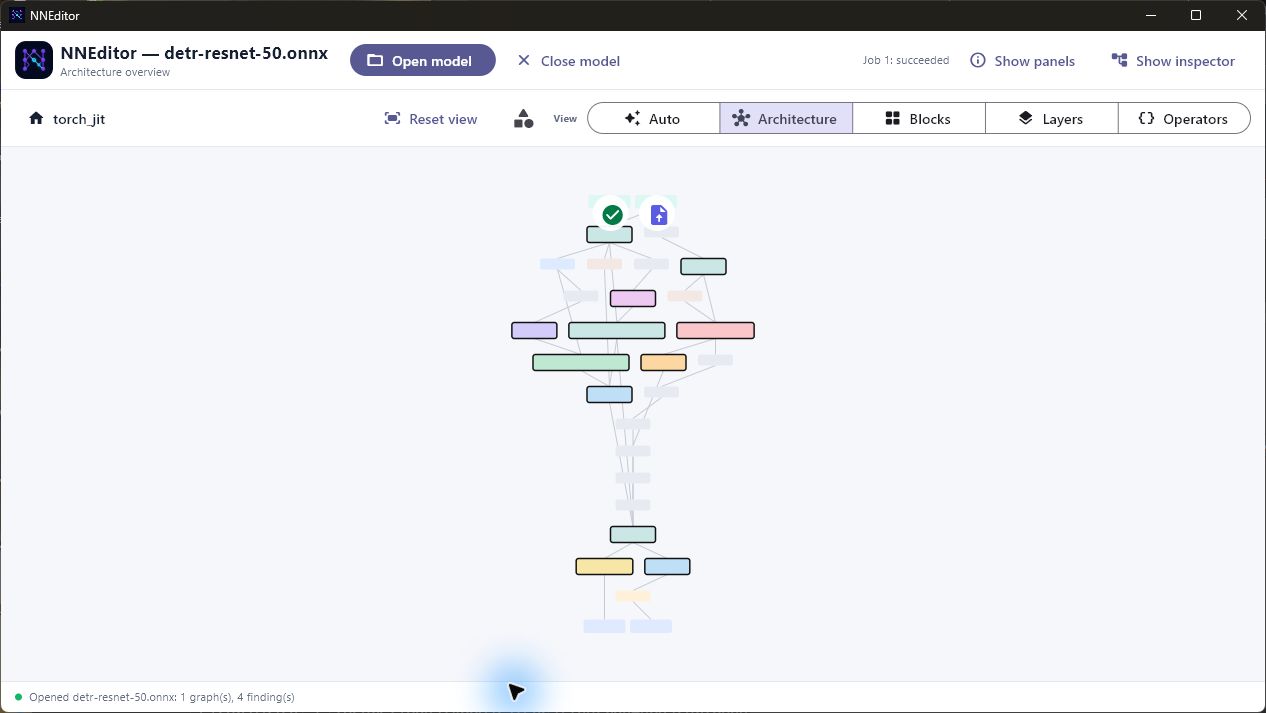
Architecture view of a 2,364-operator DETR ResNet-50 model. The graph is organized into semantic regions instead of forcing every operator onto the canvas at once.
Trace activations from the graph
Tracing is designed as a direct graph interaction rather than a separate debugging workflow:
- click the tensor button beside a model input and assign a safe NumPy input;
- generate image, mask, CSV, time-series, or synthetic inputs inside NNEditor;
- review the model, input specification, and resource limits, then approve one bounded trace run;
- click any traced node, connection, model input, or model output to build its activation views automatically; and
- open a large overlay for detailed inspection.
Required mask inputs can be generated automatically. Image preprocessing uses height-then-width tensor conventions, and the Qwen3-VL profile produces the flattened patch representation expected by its vision tower.
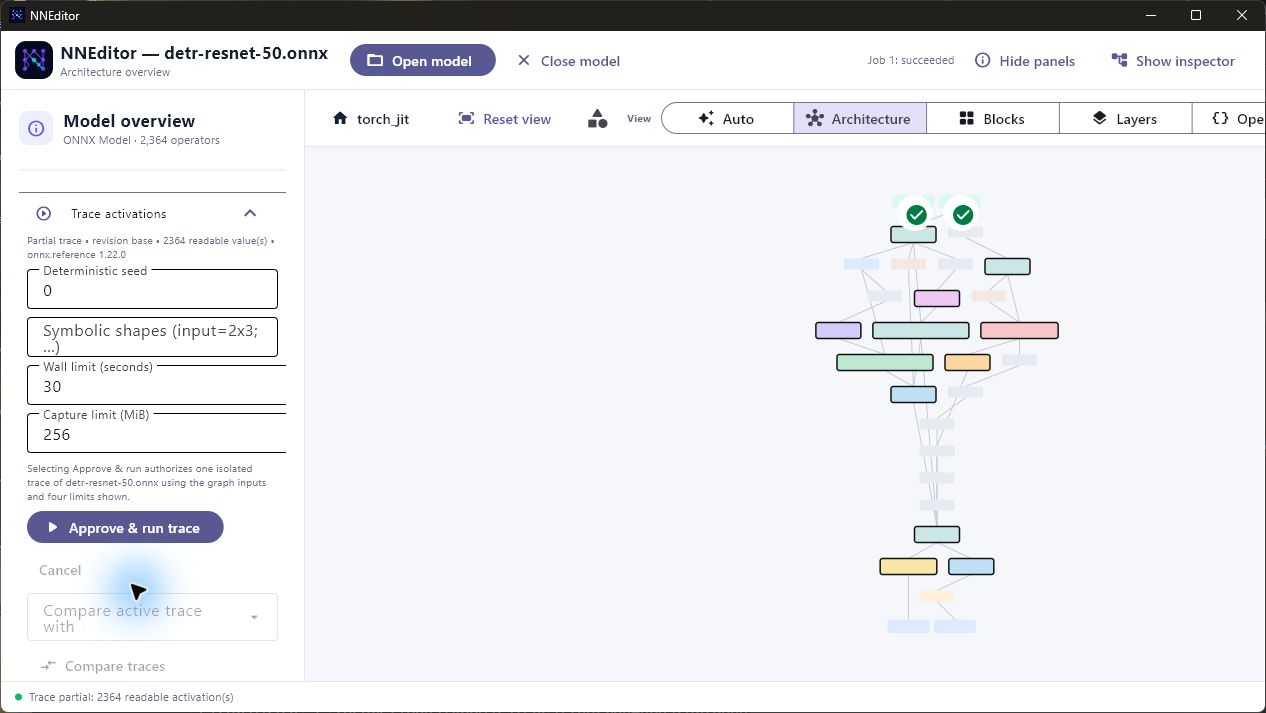
A bounded activation trace of DETR ResNet-50. NNEditor reports partial capture honestly when a run reaches its approved storage budget while keeping the captured values available for inspection.
A general tensor viewer
Activation values are presented as stacks of two-dimensional layers:
- a 2D tensor appears as one plane;
- a 3D tensor becomes a stack of channel or feature planes;
- a 4D tensor flattens its leading axes into clearly labelled 2D layers; and
- RGB-like inputs retain an image composite alongside their individual channel planes.
The interactive 3D view can be rotated by dragging. Selecting a layer brings it to the foreground, and large stacks are sampled evenly while preserving their original source indices. Histograms, line views, heatmaps, feature-map grids, attention views, source shapes, and displayed shapes remain available where they are meaningful.
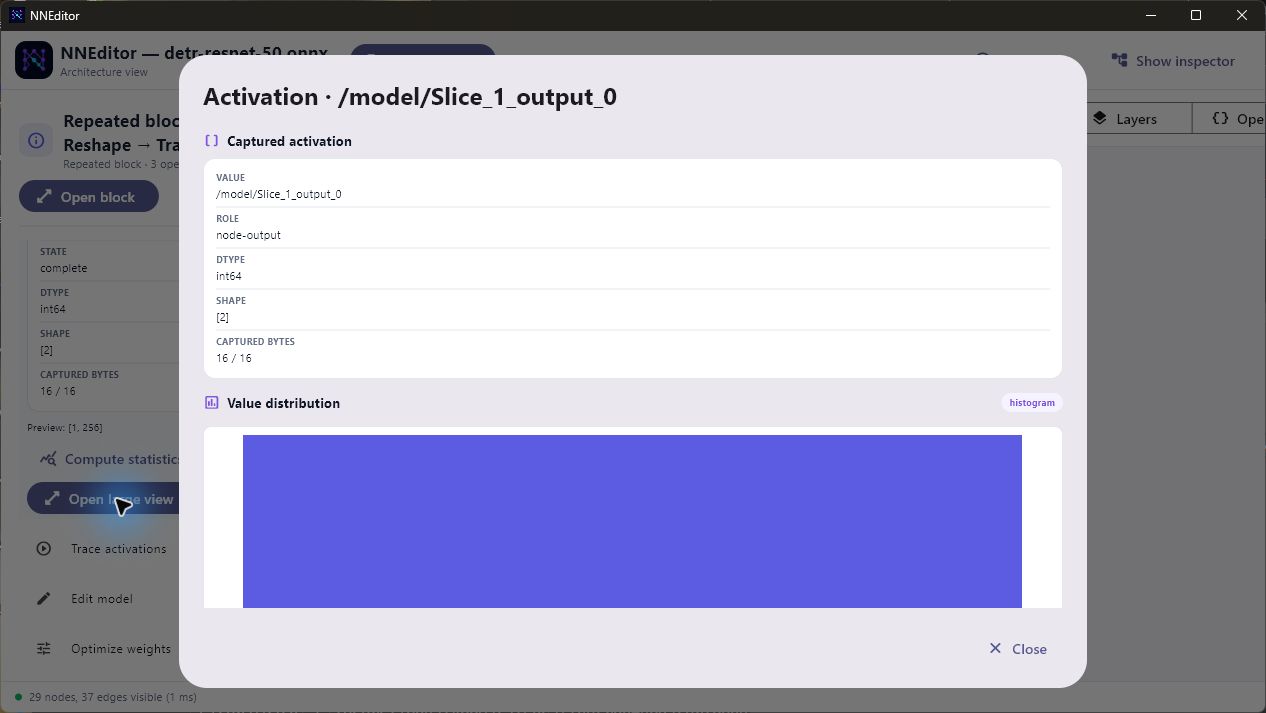
The large activation overlay gives tensor data enough space for meaningful inspection instead of compressing it into the side panel.
Safe-artifact-first engineering
NNEditor treats model files as untrusted data:
- artifact bytes are parsed without importing or executing stored Python;
- pickle-based PyTorch containers use a restricted, non-executing reader;
- embedded and external tensors are accessed through bounded range reads;
- source artifacts remain immutable and are identified by content hashes;
- edits are prepared as reversible transactions and validated before commit;
- exports are staged, validated, and written as new artifacts; and
- inference runs in a separate process with explicit, per-run approval and enforced time, memory, and capture limits.
This is deliberately different from claiming universal edit support. Every opened artifact exposes an explicit capability contract, and unavailable actions explain the format-specific reason in the interface.
Supported artifacts
The current release includes capability-specific workflows for:
- ONNX, including external tensor data: graph and weight inspection, validated editing and export, and desktop activation tracing;
- PyTorch exported programs, state dictionaries, and FX graph modules: safe inspection with topology or tensor capabilities determined by the container;
- safetensors: header and weight inspection plus tensor-level changes;
- Flax and Orbax checkpoints: weight and tensor metadata workflows;
- textual StableHLO: functions, regions, operations, and attributes;
- Qualcomm DLC containers: decoded graph, typed weights, quantization encodings, and container index inspection; and
- Core ML packages (
.mlpackage): manifest, model header, feature names, and typed weight blob inspection.
NNEditor identifies artifacts by their contents rather than trusting only the filename extension.
Editing and optimization
For supported ONNX entry graphs, NNEditor can rename nodes, edit compatible attributes, replace operators, insert or remove validated unary operators, reconnect compatible inputs, and replace same-length tensor byte ranges. Undo, redo, recovery, diff previews, and export provenance all use the same revision chain. A Save changes action appears only when the current model has been modified.
Quantization and pruning tools provide a preview before commit. They include
8-bit symmetric or asymmetric conversion, per-tensor and per-channel
quantization, portable ONNX Q/DQ insertion, threshold and mask pruning, exact
N:M sparsity, and a shape-proven terminal MatMul channel-pruning pattern.
The interface distinguishes mathematical conversion from an actual storage or
runtime improvement.
Install and run
NNEditor supports Python 3.12 through 3.14 on Windows, macOS, and Linux.
python -m pip install nneditor==1.4.0
nneditor
Open a model directly:
nneditor path/to/model.onnxOn Windows, NNEditor can register itself for ONNX, PyTorch, safetensors, StableHLO, and related model extensions using per-user file associations.
Open source
NNEditor is released under the MIT License. The repository includes its full test suite, platform CI, example trace inputs, and release documentation. Contributions and issue reports are welcome at github.com/ibouazizi/nneditor.
(Python, Flet, ONNX, PyTorch, StableHLO, neural-network visualization)