A standalone desktop editor for MPEG Avatar Representation Format
containers (.arfz, ISO/IEC 23090-39) — inspect, validate, edit, and
preview avatars without touching a text editor or a build pipeline.
Per-user install, no administrator rights required. Windows 10/11, x64.
What it does
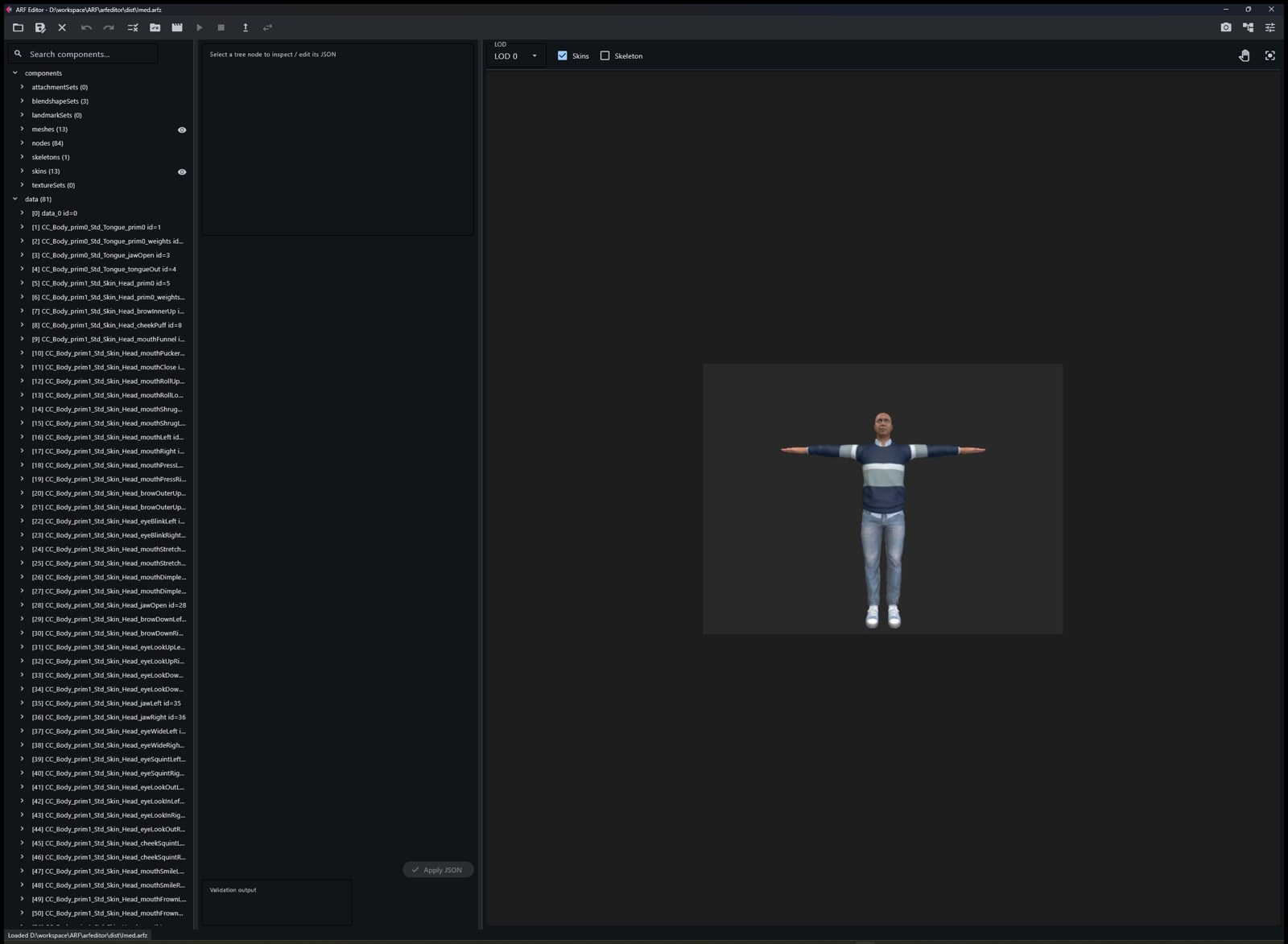
Structure tree and JSON inspector for arf.json with
snapshot-based undo/redo and per-skin / per-mesh visibility toggles.
Live 3D preview of the avatar with LOD selection,
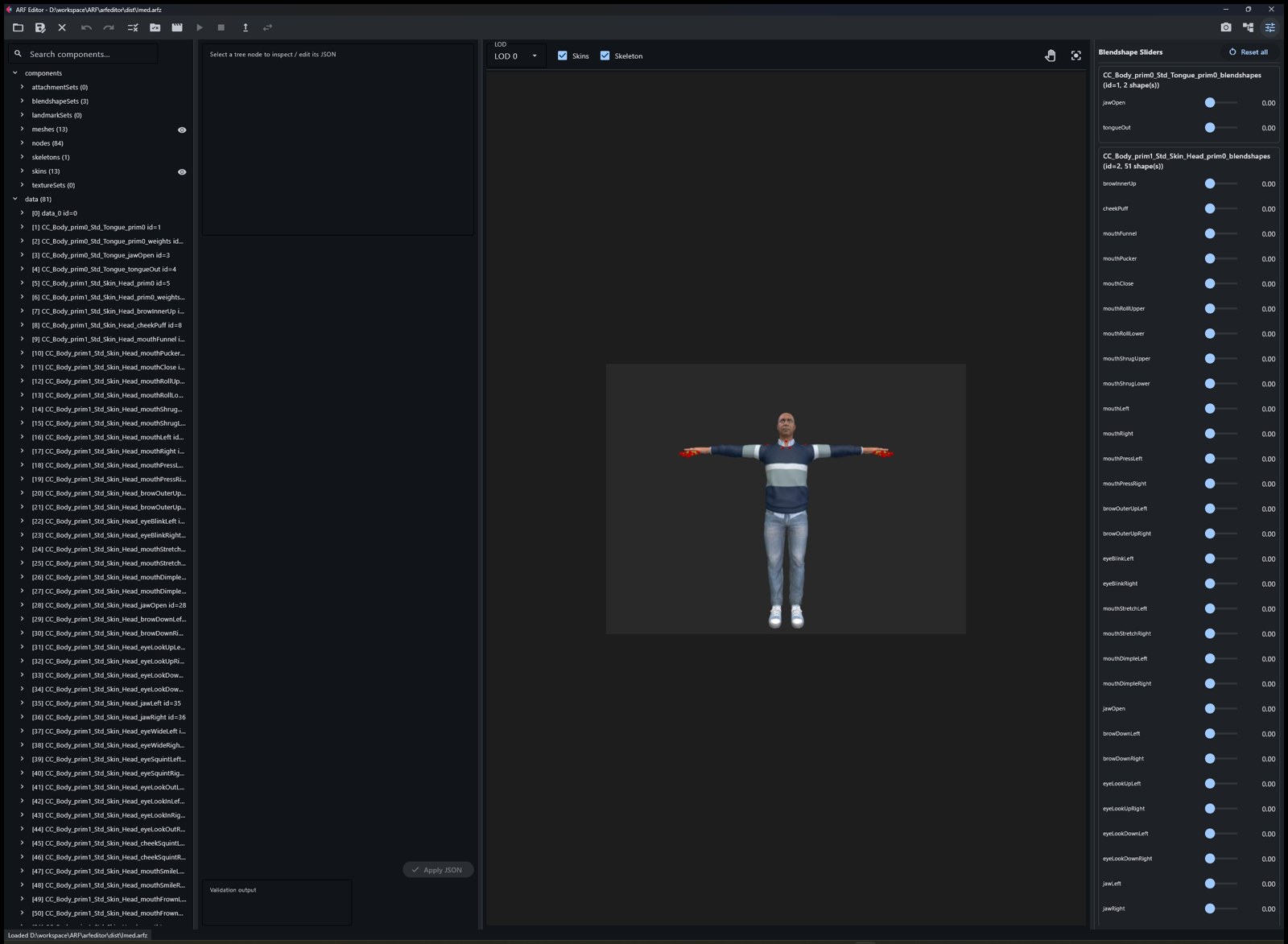
skeleton overlay, orbit/pan camera, and screenshots.
Blendshape sliders — drag a shape key, watch the face change.
Animation playback of AAU streams (ISO/IEC 23090-39 Clause 9)
directly on the loaded avatar: body joints and facial blendshapes.
Validation against the ARF JSON schemas plus a deep mode that
reads the binary payloads: weight tensors (normalization, zero-weight rows,
vertex/joint counts) and blendshape meshes.
Safe editing operations: cascade-clean deletes, skeleton joint
pruning with tensor rewrites, payload replacement, and one-click migration of
legacy animation URNs to the canonical MPEG registry names.
Screenshots
Container structure, JSON editor, and live preview of a loaded avatar.Blendshape slider panel and skeleton overlay.
Note: the installer is not code-signed yet, so
Windows SmartScreen may warn on first run — choose “More info → Run anyway”.
Opening a container: File toolbar button, or associate .arfz and
double-click, or arfeditor.exe path\to\avatar.arfz.
Related
WebARF Viewer — play ARF avatars and AAU animation
streams in the browser.